Silencer Shop Kiosk Setup Guide
STEP 1: Unbox and Inspect
Welcome to the family. Let’s make sure you’ve got everything you need before we fire this thing up.
Inside the box, you should find:
- Kiosk Terminal (PC is built-in)
- Surge Protector (pre-installed)
- Fingerprint Scanner
- Power Cable
- USB Keyboard (Inside Kiosk)
- LED Board
Check for damage and report if there are any issues within 24 hours.
STEP 2: Power On & Open Her Up
- Plug that power cable into the wall.
- Use the kiosk keys to open the back panel (keyholes are on the back).
- Locate the PC inside and plug your keyboard into one of its USB ports.
- Pro Tip: The keyboard should already be connected. If not, plug it into any available USB port. If necessary, unplug the cable labeled “Fingerprint Scanner” temporarily.
STEP 3: Connect to the Internet
Option 1 (Recommended): Connect an Ethernet cable from a functional wall jack into your PC’s Ethernet port. This should automatically connect you to the network. Verify the Green and Amber flashing lights to confirm.
Option 2: To connect via Wi-Fi, press CTRL + SHIFT + W on the keyboard to bring up the Wi-Fi Manager.
- Record your Host Name (contains:
SS-KIOSK####), needed for Tech Support.
- Type your Wi-Fi password and tap Connect on the touchscreen.
- Once connected, exit the Wi-Fi Manager.
STEP 4: Launch Silencer Shop Application
Press CTRL + SHIFT + R on your keyboard to launch the Silencer Shop software. This will take you to the main customer screen.
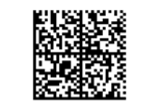
STEP 5: Scan QR Code on the QR Code Scanner
Scan the QR Code with the QR Code Scanner for initial configuration.
You’ll know it was successful when you hear 2 sequences of beeps.
No further action is needed.
STEP 6: Button Her Up
- Leave your keyboard plugged in and stash it neatly in the kiosk’s internal cavity.
- If you unplugged the fingerprint scanner, reinsert its USB cable.
- Close and lock the kiosk door. Store your keys securely.
STEP 7: Call in the Calvary
To finish setup, call Silencer Shop Tech Support:
- Phone: 512-270-4933
- Provide: The last 4 digits of your Host Name (from Step 3)
- Email: techsupport@silencershop.com
That’s how we get your location live on the dealer map.